basic

Replace a key-fob battery

Renew the fob battery without damaging the case or losing the mechanical key.

5–15 min2 toolselectrical

Tools

  • Plastic pry tool or documented mechanical key
  • Clean dry cloth

Parts and supplies

  • Exact battery chemistry and size printed in the manual or old cell

Before starting

  • A working spare key is available when practical
  • Replacement battery polarity is understood
Visual procedure

One step at a time

Realistic views show the component and hand action for each step. Exact layout varies by vehicle, so always confirm access in the applicable manual.
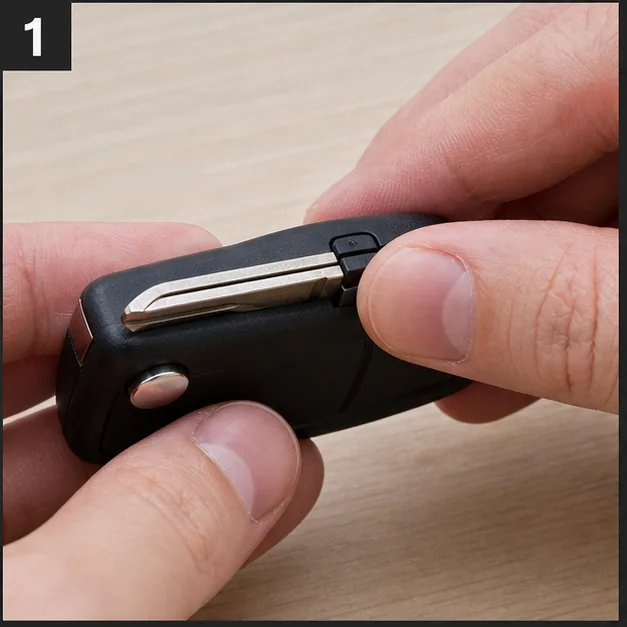
Remove the mechanical key. Representative view · exact vehicle may differ.
Representative view · exact vehicle may differ
STEP 1

Remove the mechanical key

Operate the documented latch and place the mechanical key safely aside.
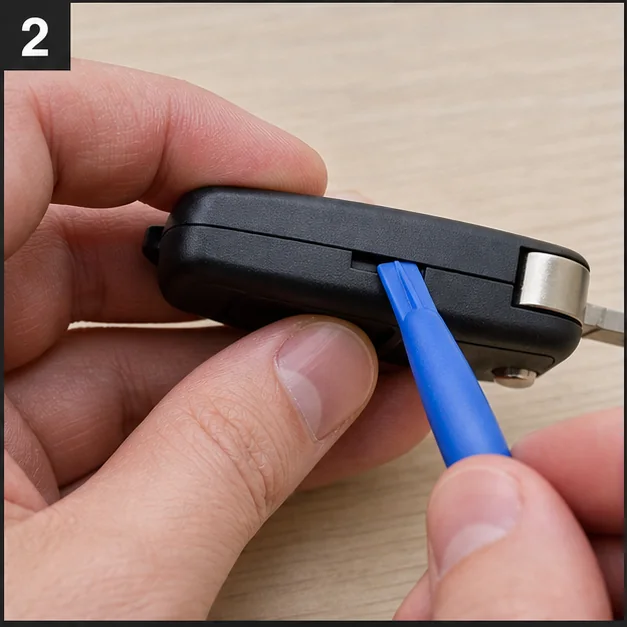
CheckpointThe latch moves freely and no emergency key is lost.
Open at the service notch. Representative view · exact vehicle may differ.
Representative view · exact vehicle may differ
STEP 2

Open at the service notch

Use the documented notch and a plastic tool to separate the case without twisting circuit components.
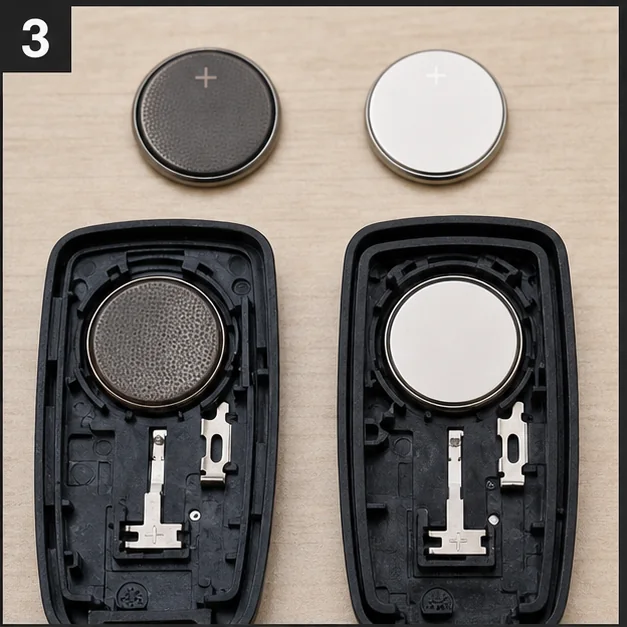
CheckpointCase clips release without cracking.
Match and install the cell. Representative view · exact vehicle may differ.
Representative view · exact vehicle may differ
STEP 3

Match and install the cell

Record polarity, remove the old cell and install the exact replacement in the same orientation.
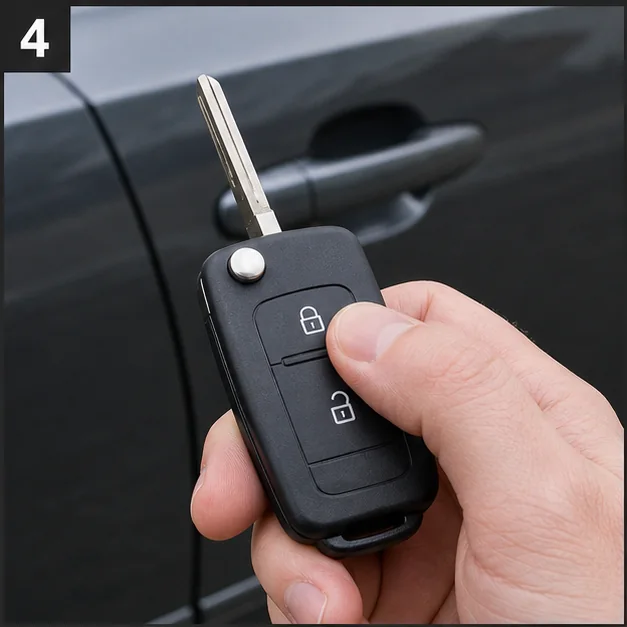
CheckpointThe cell is fully seated and contacts are not bent.
Close and test. Representative view · exact vehicle may differ.
Representative view · exact vehicle may differ
STEP 4

Close and test

Snap the case evenly, reinstall the key and test lock/unlock plus the documented backup start position.

CheckpointButtons work and the case seam is fully closed.

Post-repair verification

  • Remote functions work
  • Vehicle recognizes the key
  • Old coin cell is recycled safely